Landing a job isn’t just about having the right skills—it’s also about ensuring your resume gets noticed.
Many companies use an Applicant Tracking System (ATS) to filter resumes before they reach a recruiter. If your resume isn’t ATS-friendly, it may never be seen by a human.
In this guide, you’ll learn what an ATS resume is, how it works, and how to create a resume that improves your chances of getting shortlisted.
What Is an ATS?
An Applicant Tracking System (ATS) is software used by companies to manage job applications.
It helps recruiters:
- Store resumes
- Search candidates by skills
- Filter applications
- Rank resumes based on keywords
- Manage the hiring process
Large companies often receive hundreds or even thousands of applications for a single position. ATS helps recruiters quickly identify the most relevant candidates.
Why Is an ATS-Friendly Resume Important?
If your resume is difficult for ATS software to read, important information may be missed.
An ATS-friendly resume can:
- Increase your chances of being shortlisted
- Make your resume easier for recruiters to read
- Match job description keywords
- Improve your interview opportunities
Key Features of an ATS-Friendly Resume
1. Use a Simple Layout
Avoid:
- Multiple columns
- Text boxes
- Tables
- Decorative graphics
- Complex icons
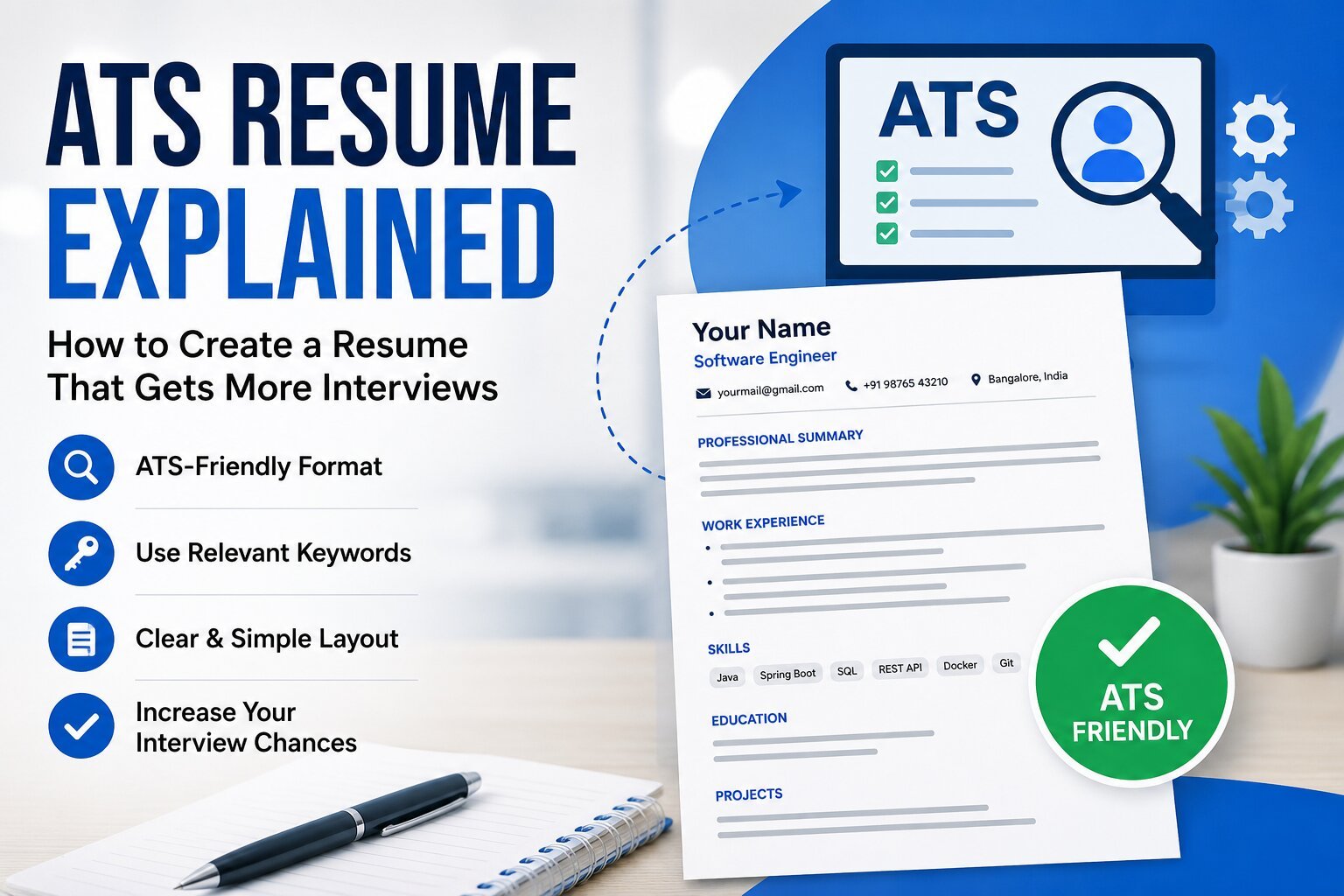
A clean, single-column format is easier for ATS software to process.
2. Include Relevant Keywords
Carefully read the job description and include relevant skills.
Example:
If a company requires:
- Java
- Spring Boot
- REST API
- SQL
- Docker
Include these skills only if you genuinely have experience with them.
3. Use Standard Section Headings
Use headings like:
- Professional Summary
- Work Experience
- Education
- Skills
- Projects
- Certifications
Avoid creative titles that ATS software may not recognize.
4. Choose Readable Fonts
Recommended fonts include:
- Arial
- Calibri
- Helvetica
- Times New Roman
Font size should generally be between 10 and 12 points for body text.
5. Save Your Resume in the Correct Format
Unless the employer specifies otherwise:
- PDF is commonly accepted.
- Some employers may specifically request a Word (.docx) file.
Always follow the instructions in the job posting.
Common Resume Mistakes
Avoid these mistakes:
- Spelling mistakes
- Grammatical errors
- Irrelevant information
- Keyword stuffing
- Long paragraphs
- Unprofessional email addresses
- Incorrect contact details
Resume Sections Every Candidate Should Include
Your resume should generally include:
- Full Name
- Contact Information
- Professional Summary
- Technical Skills
- Work Experience
- Projects
- Education
- Certifications
- Achievements (optional)
Tailor Your Resume for Every Job
Sending the same resume to every company is not the best approach.
Before applying:
- Read the job description carefully.
- Highlight the required skills.
- Update your resume to reflect relevant experience.
- Remove information that is not related to the role.
Customized resumes often perform better than generic ones.
Can AI Help Improve Your Resume?
Yes.
AI tools can help you:
- Improve grammar
- Rewrite bullet points
- Suggest stronger action verbs
- Match job description keywords
- Create professional summaries
Always review AI-generated content to ensure it accurately reflects your experience.
Quick ATS Resume Checklist
Before submitting your resume, ask yourself:
- Is the layout simple and clean?
- Did I include relevant keywords?
- Are there any spelling mistakes?
- Is my contact information correct?
- Did I tailor the resume for this role?
- Is the file saved in the requested format?
If you answered “Yes” to all of the above, your resume is ready to submit.
Final Thoughts
A strong resume is one of the most important tools in your job search. While no resume can guarantee an interview, following ATS best practices can significantly improve your chances of being noticed by recruiters.
Focus on presenting your skills clearly, tailoring your resume for each application, and keeping the format simple and professional.